Free
For practicing on your own and occasional translation
$0
- 60 minutes of SpeechShield-hosted AI a month
- Unlimited with your own API key or local CLI
- 1 profile
- Phone viewer and session history
Interview answers and live translation, in a Mac overlay and on your phone.
Works on top of
Where it fits
Why SpeechShield
It transcribes before the question ends and adds the translation as each sentence finishes. Find the answer in your own resume, and the translation right under the original.
translation languagesKorean, English, Japanese, Chinese, Spanish and more
conversations kept on our serversProfiles and history are encrypted on your Mac only
Features
SpeechShield transcribes the question and drafts an answer from the resume and job posting you saved. Choose full, concise or key points.
Learn moreSpeechShield detects the language of the meeting or video and places each translation under the original line, in the order it was spoken.
Learn moreScan a QR code and the same session opens in your phone browser on the same Wi-Fi. Start recording and generate answers from the phone, too.
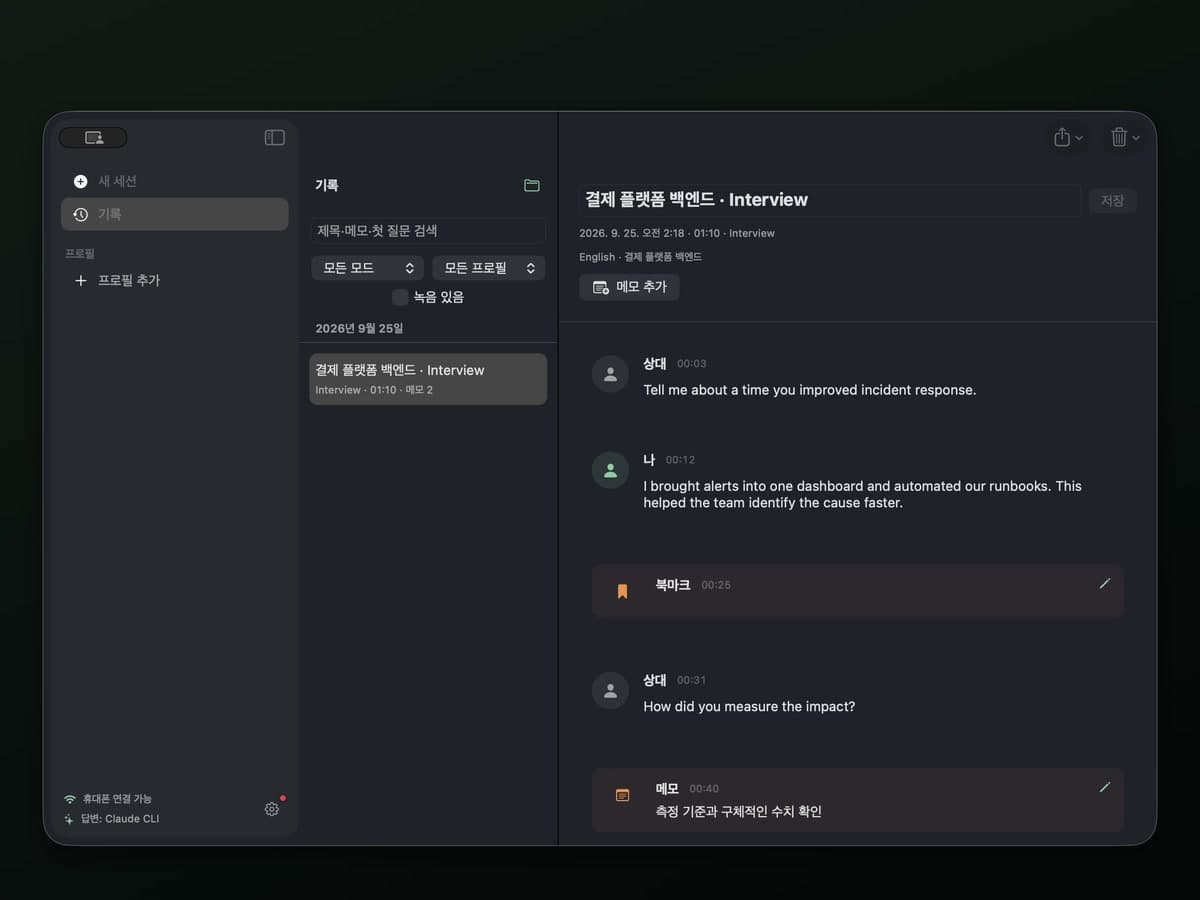
Leave timestamped notes and record if you want to. Review finished sessions later and export them as Markdown.
Principles
SpeechShield is built for mock interviews, interviews where AI help is allowed, and meetings in another language. It is not a tool for deceiving interviewers or evading monitoring.
Profiles, history and recordings are encrypted with AES-256-GCM on your Mac only.
Share the Shareable Screen window to exclude SpeechShield. Sharing your entire display directly may reveal the overlay.
Only sessions you turn it on for are recorded. Past sessions are never sent to the AI.
No limited-time discounts or first-week prices. You pay what the pricing page says.
Pricing
For practicing on your own and occasional translation
$0
For regular interview prep and meetings in another language
$9.99/mo
$119.88 billed yearly
Anything else? Send us an email.
Yes. The Free plan includes 60 minutes of SpeechShield-hosted AI every month, no card required. Connect your own API key or the Claude or Codex CLI on your Mac to use it without a time limit.
Yes. Save a resume and job posting to a profile for each company and role, and answers draw on your own experience. You can import a resume as a PDF.
Sharing your entire display directly may reveal the overlay. To exclude SpeechShield, open Shareable Screen from Settings → Overlay, choose a display, then share only that window in your meeting app.
A Mac with macOS 26 or later. Windows and Linux are not supported yet. Phones connect over the same Wi-Fi with iOS Safari or Android Chrome.
SpeechShield understands speech in more than 50 languages and detects the source language automatically. Translations are available in Korean, English, Japanese, Chinese, Spanish, French, German, Italian, Portuguese, Russian, Hindi, Indonesian and Vietnamese.
Profiles and session history are encrypted on your Mac. SpeechShield servers only keep your account, billing and minutes used.
Ask within 7 days of payment for a full refund, whether or not you used it. If you cancel after that, you won't be charged again and keep access until the period ends.
Download the DMG, move SpeechShield to Applications, and you can open your first session right away.
v0.2.0. macOS 26 or later. Start free, no card required.
The Free plan includes 60 minutes of SpeechShield-hosted AI every month. Connect your own API key for no time limit.
Ask within 7 days of paying for Pro and we refund you in full, no questions asked.